Install SOL
Add SOL to your home screen for a real app-like experience -- full screen, its own icon, and push notifications for replies, tags, and announcements.
iPhone / iPad
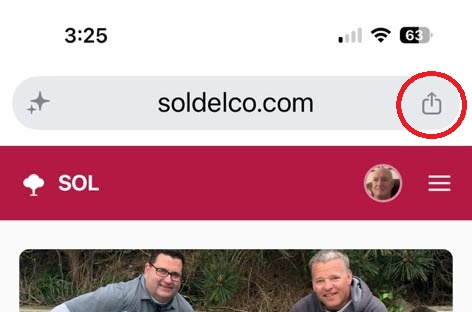
- 1. Tap the Share icon (a square with an arrow pointing up) in the toolbar.
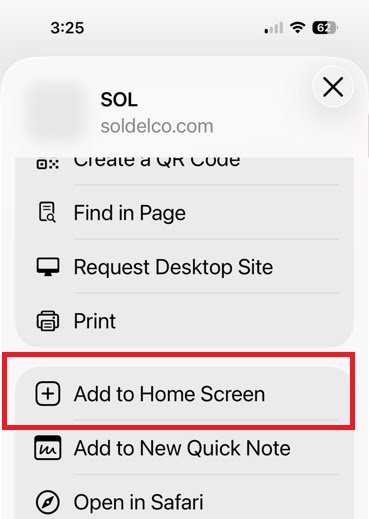
- 2. Scroll down and tap "Add to Home Screen."
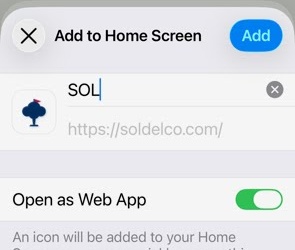
- 3. Tap "Add" in the top right.
Then open SOL from the new icon on your home screen (not from the browser) before enabling notifications below.
Android (Chrome)
Tap the menu (⋮) in the top right, then "Install app" or "Add to Home screen."
Enable notifications
Pick your name first, then come back here.